Getting visitors to your Shopify store is only the first step. The real challenge is turning those visitors into customers.
Many shoppers leave online stores without purchasing because they are unsure about the product, the brand, or whether other people trust the business.
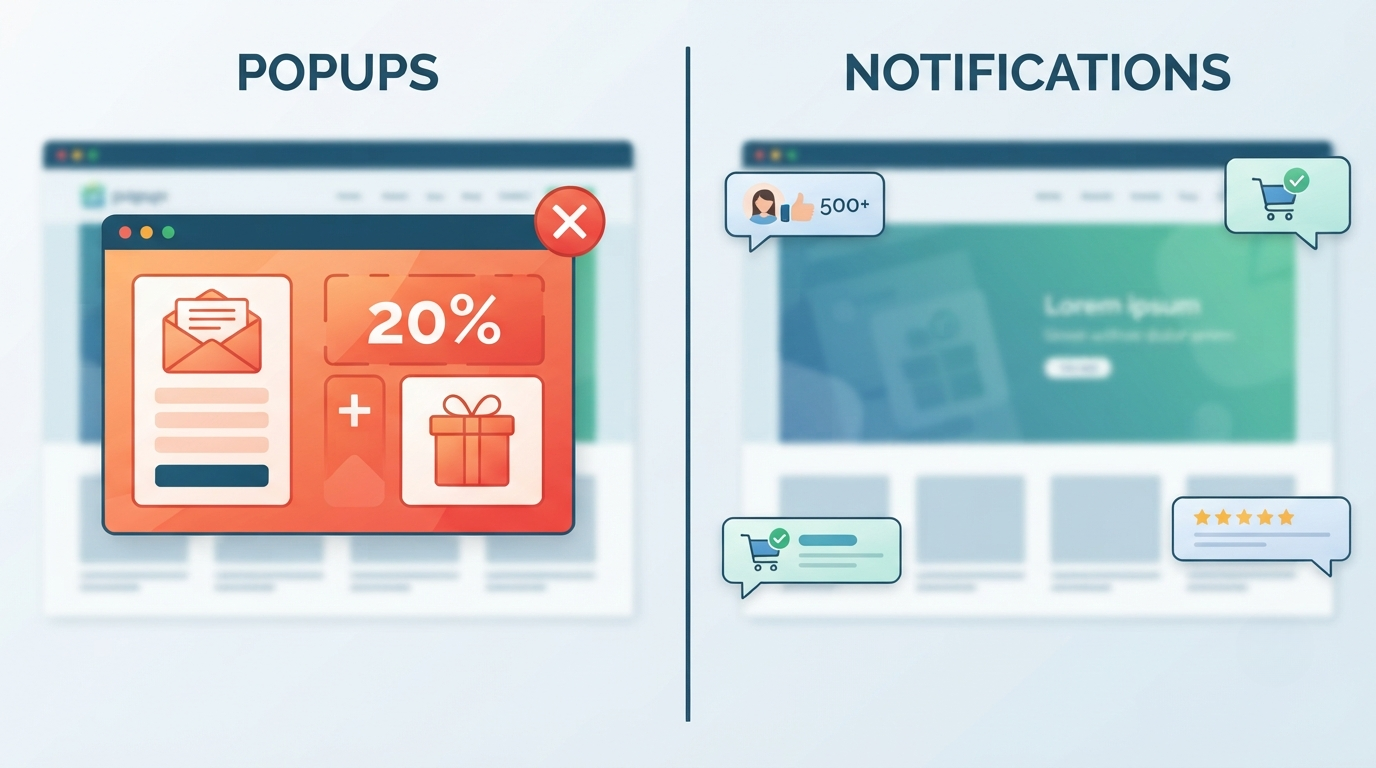
Shopify notifications help solve this problem by giving visitors helpful information at the right moment. They create confidence, highlight customer activity, and guide shoppers through the buying process without interrupting their experience.
In this guide, we explain what Shopify notifications are, how they work, and how online stores can use them to improve conversions.
What Are Shopify Notifications?
Shopify notifications are small messages displayed on an online store to communicate information to visitors.
Unlike large promotional banners or traditional popups, notifications are usually lightweight and designed to blend naturally into the shopping experience.
Examples include:
- "Anna from Sweden just purchased this item"
- "More than 500 customers have bought this product"
- "This product is currently popular"
- "New customer review added"
- "Free shipping available today"
These messages help visitors understand that the store is active and trusted.
Why Shopify Stores Use Notifications
1. Build Trust With First-Time Visitors
A new visitor does not automatically trust an online store.
They may wonder:
- Is this company legitimate?
- Are other people buying here?
- Is the product quality good?
- Will my order arrive?
Notifications provide reassurance by showing signs of customer activity and engagement.
A simple message like:
"Over 2,000 customers have purchased from our store"
can help reduce uncertainty.
2. Increase Customer Confidence
Buying decisions are often emotional.
Before completing a purchase, customers look for signals that they are making the right choice.
Notifications can highlight:
- customer numbers
- reviews
- product popularity
- community activity
These small signals make visitors feel more confident.
3. Create Product Awareness
Many shoppers browse Shopify stores without knowing what they want to buy.
Notifications can help highlight products that deserve attention.
Examples:
- "Trending product this week"
- "Most popular item today"
- "Customer favorite"
This can help guide visitors toward products that already perform well.
4. Encourage Faster Decisions
Online shoppers often delay purchases.
They may think:
"I will come back later."
Notifications can create a sense of urgency without being aggressive.
Examples:
- "Popular item — selling quickly"
- "Limited stock available"
- "Many customers are viewing this product"
The goal is not to pressure customers, but to help them make a decision.
5. Improve the Shopping Experience
Good notifications provide value.
They should answer questions customers already have.
Examples:
Before purchase:
"Free delivery on orders over $50"
During browsing:
"This product has been purchased by thousands of customers"
After purchase:
"New customer reviews added this week"
Types of Shopify Notifications
Purchase Notifications
Purchase notifications show recent customer activity.
Examples:
- Recent orders
- New customers
- Products being purchased
They are commonly used because they provide immediate social proof.
Review Notifications
Reviews are one of the strongest trust signals in ecommerce.
Examples:
- New five-star review
- Customer feedback
- Product ratings
These help shoppers understand the experience of previous buyers.
Announcement Notifications
Stores can use notifications to communicate important updates.
Examples:
- New product launches
- Special events
- Shipping updates
- Store announcements
Milestone Notifications
Milestones help show business growth.
Examples:
- "10,000 customers served"
- "1 million products sold"
- "Five years in business"
These create credibility and brand authority.
Where Should Shopify Notifications Appear?
Placement is important.
Homepage
Goal:
Build immediate trust.
Examples:
- Customer numbers
- Brand achievements
- Reviews
Product Pages
Goal:
Help customers decide.
Examples:
- Product popularity
- Recent purchases
- Reviews
Cart and Checkout Pages
Goal:
Reduce hesitation.
Examples:
- Secure checkout messages
- Shipping information
- Customer satisfaction signals
Best Practices for Shopify Notifications
Keep Messages Realistic
Visitors quickly notice unrealistic claims.
Good notifications should feel authentic and believable.
Avoid Too Many Messages
Notifications should improve the shopping experience, not distract from it.
Use them strategically.
Match Your Brand Style
A premium fashion store and a gaming store should not use identical notification designs.
Customize:
- colors
- wording
- placement
- timing
Focus on Value
The best notifications answer a customer question:
"Why should I trust this store?"
"What makes this product worth buying?"
"What are other customers doing?"
Shopify Notifications and Customer Psychology
Online shopping involves uncertainty.
Customers often use other people's behavior as a shortcut when making decisions.
This is why social proof works.
Seeing that other customers are:
- purchasing
- reviewing
- engaging
- returning
creates confidence and reduces buying hesitation.
Notifications bring these trust signals directly into the shopping experience.
Final Thoughts
Shopify notifications are a simple but powerful way to improve customer confidence and increase conversions.
They help stores communicate trust, highlight customer activity, and guide visitors toward purchasing decisions without creating a disruptive experience.
For growing Shopify businesses, notifications are becoming an important part of modern ecommerce because they combine marketing, customer psychology, and a better shopping experience.
When used correctly, a small notification can make a big difference in turning visitors into loyal customers.