When trying to increase website conversions, businesses often use different types of messages to capture visitor attention. Two of the most common options are popups and notifications.
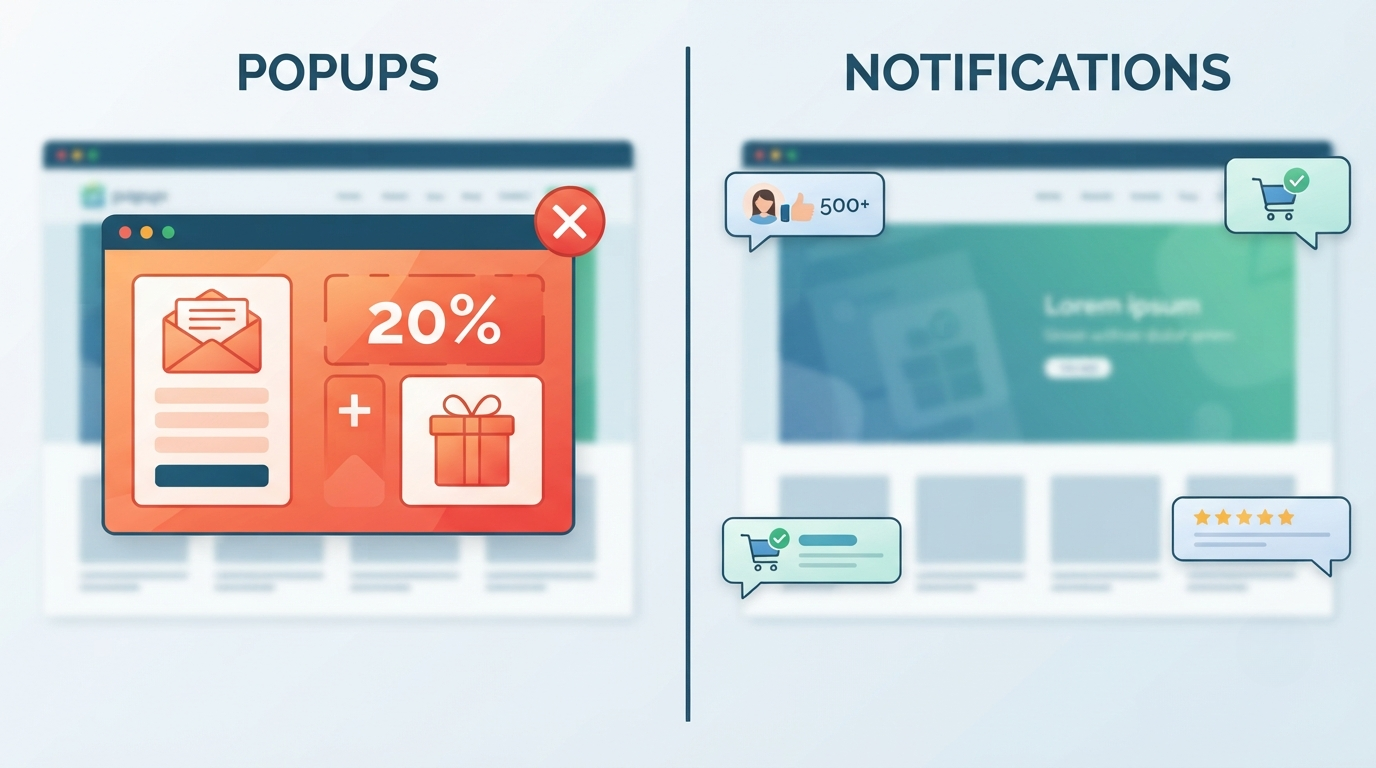
Although they may look similar, they work very differently. Popups are designed to interrupt the visitor and demand attention, while notifications are usually designed to provide useful information without disrupting the browsing experience.
In this guide, we compare popup vs notifications, explain the advantages and disadvantages of each, and help you decide which solution is best for your website.
What Is a Popup?
A popup is a message box that appears on top of a website's content. It is typically used to capture attention and encourage visitors to complete a specific action.
Common popup examples:
- Email newsletter signup
- Discount offers
- Free downloads
- Exit-intent messages
- Limited-time promotions
- Cookie notices
Example:
"Get 15% off your first order. Enter your email to receive your discount."
Popups usually appear:
- after a certain amount of time
- when a visitor scrolls
- when someone tries to leave the website
- immediately after landing on a page
Advantages of Popups
1. High Visibility
The biggest advantage of popups is that visitors cannot easily ignore them. Since they appear above the website content, they immediately capture attention.
This makes them useful for:
- promotions
- lead generation
- important announcements
2. Strong Call-to-Action
Popups are effective when you need visitors to take one specific action.
Examples:
- Join an email list
- Start a free trial
- Download a guide
- Claim a discount
3. Good for Short-Term Campaigns
Businesses often use popups for:
- seasonal sales
- product launches
- special offers
- events
Disadvantages of Popups
1. They Can Interrupt the User Experience
Many visitors find aggressive popups frustrating, especially when they appear immediately after entering a website.
Poor popup experiences can lead to:
- higher bounce rates
- negative brand perception
- visitors leaving the site
2. They Are Often Ignored
Because users see many popups online, many have developed "popup blindness" and automatically close them.
3. Mobile Challenges
Popups can be difficult on smaller screens. Poorly designed mobile popups may cover too much content or make navigation harder.
What Are Website Notifications?
Website notifications are small messages that appear on a website to provide information, build trust, or encourage engagement.
Unlike traditional popups, notifications are usually smaller and less disruptive.
Examples:
- "Sarah just joined our community"
- "25 people are viewing this product"
- "New customer from Norway purchased this item"
- "500+ creators are already using our platform"
- "New update available"
Notifications are often used as a form of social proof.
Advantages of Notifications
1. Less Intrusive
Notifications do not block the visitor from using the website. They provide information while allowing users to continue browsing.
This creates a smoother experience.
2. Builds Trust Through Social Proof
People naturally look at what others are doing before making decisions.
Seeing activity from other users can reduce hesitation.
Examples:
- Recent purchases
- Customer reviews
- Signups
- Community activity
3. Works Throughout the Customer Journey
Notifications can support visitors at different stages:
Awareness
"10,000+ users trust our platform"
Consideration
"50 people viewed this product today"
Conversion
"Someone just purchased this item"
4. Better for Continuous Engagement
Unlike popups that are usually shown once, notifications can continuously provide useful signals during a visitor's session.
Disadvantages of Notifications
1. Less Attention-Grabbing
Because notifications are smaller, they may not create the same immediate impact as a full-screen popup.
2. Requires Good Content
Poor notifications can feel fake or annoying.
Effective notifications should be:
- relevant
- believable
- timely
- useful
Popup vs Notifications Comparison
| FeaturePopupsNotifications | ||
| Main goal | Drive immediate action | Build trust and engagement |
| User interruption | High | Low |
| Best for | Offers and campaigns | Social proof and updates |
| Visitor experience | Can be disruptive | More natural |
| Frequency | Usually limited | Can appear throughout browsing |
| Mobile experience | Can be challenging | Usually better |
| Long-term use | Moderate | Strong |
When Should You Use Popups?
Popups are a good choice when you need visitors to take immediate action.
Use popups for:
✅ Email collection
✅ Discounts
✅ Special promotions
✅ Free resources
✅ Announcements
Example:
A clothing store running a weekend sale may use a popup:
"20% off all products this weekend only."
When Should You Use Notifications?
Notifications are better when your goal is to increase trust and improve conversions over time.
Use notifications for:
✅ Social proof
✅ Customer activity
✅ Reviews
✅ User milestones
✅ Product updates
✅ Community engagement
Example:
A SaaS company could show:
"Over 1,000 businesses are already using our platform."
Can You Use Both Popups and Notifications?
Yes. Many successful websites use both, but they should have different purposes.
A good strategy:
Popup:
Capture leads or promote a special offer.
Notifications:
Build trust and show ongoing activity.
Example:
A visitor lands on a website:
- A small notification appears:
"250 customers signed up this month"
- After browsing:
"Want a free trial? Start today."
The notification builds confidence, while the popup drives action.
Which Converts Better: Popup or Notifications?
There is no universal winner because they solve different problems.
If your goal is:
Collect emails → Popup may work better
Promote a sale → Popup may work better
Build trust → Notifications often work better
Improve SaaS conversions → A combination can work best
Modern websites are moving away from aggressive interruptions and toward more natural engagement methods. Notifications allow businesses to communicate value while respecting the visitor experience.
Final Thoughts
Popups and notifications are both powerful marketing tools, but they serve different purposes.
Popups are attention-driven tools designed for immediate actions. Notifications are trust-building tools designed to improve engagement and conversions.
For many startups, SaaS companies, creators, and online stores, website notifications provide a more user-friendly way to add social proof and increase visitor confidence without interrupting the browsing experience.
The best approach is choosing the tool that matches your customer's journey — and using each format where it creates the most value.